GPON SFP-ONU Sticks: FS.com vs Huawei MA5671A (and How to Flash)
How to re-flash the FS.COM GPON ONU Stick or Huawei MA5671A with the SFP-to-TTL adapter
What this guide is about
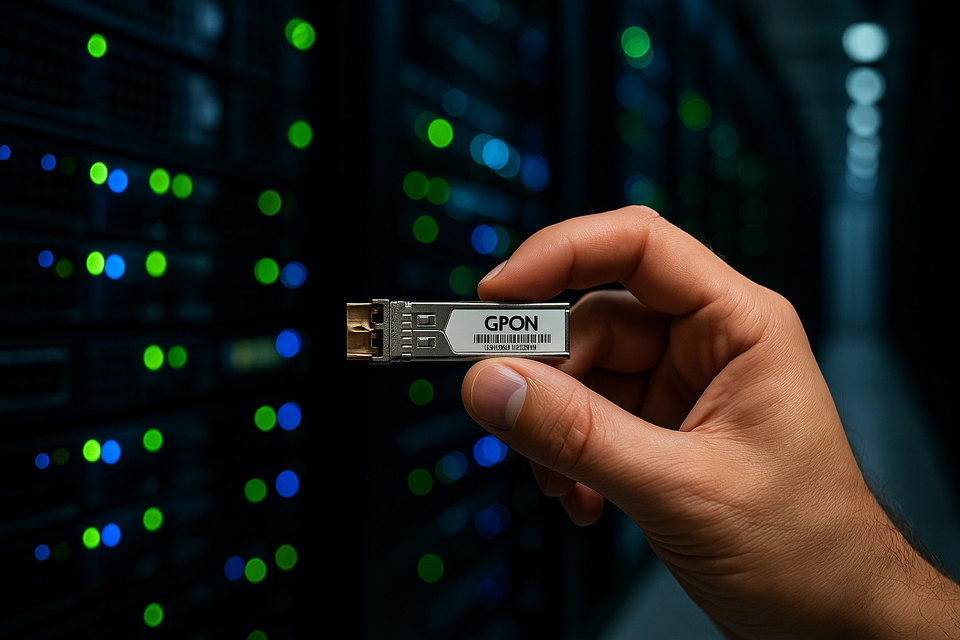
The wildly popular FS.COM GPON ONU Stick (PN: GPON-ONU-34-20BI) and Huawei MA5671A both hide a tiny 3 V UART console that lets you:
- update or patch the stock firmware,
- unlock bridge/router modes, SN/LOID tweaks, Telnet/SSH,
- or recover a bricked stick.
Unfortunately the header is inside the SFP cage and impossible to reach with normal probes.
The ready-to-use SFP-to-TTL breaks out RX, TX, 3V3, GND to a 2 × 10 gold-pin header that eases the use with any USB-to-UART dongle. It's the quickest and safest route for hobbyists who don't want to hand-wire pogo pins.
New to these sticks? Start with the SFP module pinout reference — the full 20-pin map and a verified list of which modules expose the console on which pins.
FS.com GPON-ONU-34-20BI vs Huawei MA5671A: which stick?
Both sticks do the same job — replace your ISP's ONT with your own module — and run on the same Lantiq Falcon SoC (PEB98035), so their firmware is interchangeable. What differs is the stock firmware and the usual mod. Pick before you flash:
| FS.com GPON-ONU-34-20BI | Huawei MA5671A | |
|---|---|---|
| Chipset | Lantiq PEB98035 (Falcon) | Lantiq PEB98035 (Falcon) |
| Stock firmware | FS (OpenWrt 14.07, Lantiq) | Huawei |
| Popular mod | OpenWrt / bridge mode | Carlito firmware |
| Console access | SFP-to-TTL (in-cage UART) | SFP-to-TTL (in-cage UART) |
| Flash flow | U-Boot + TFTP | U-Boot + YMODEM (Carlito) |
| Best for | OpenWrt tinkering, custom routers | Drop-in ISP ONT replacement |
Rule of thumb: go Huawei MA5671A for a straight ISP-ONT replacement — flash Carlito and you're done. Go FS.com GPON-ONU-34-20BI if you'd rather start from its OpenWrt-based stock firmware — same SoC, so Carlito runs on it too. Either way the hardware is identical: the SFP-to-TTL adapter below gets you a console on both.
What you'll need
| Qty | Part | Notes |
|---|---|---|
| 1 | SFP-to-TTL v1.2 adapter | Available pre-assembled |
| 1 | FS.COM GPON-ONU-34-20BI or Huawei MA5671A | Other GPON sticks often work too |
| 1 | USB-to-UART (3 V logic) | FTDI232, CH340C, CP2102 … |
| – | 4 × female–female DuPont leads | For RX, TX, 3V3, GND |
Power tip: both sticks draw up to 400 mA @ 3V3 during boot.
Most genuine FTDI boards supply that, but cheap clones may brown-out — if your stick keeps rebooting, that's almost always the cause: see why your SFP module keeps rebooting. In that case power the SFP from a bench supply and only share GND. (Adapter v1.2 adds two capacitors to help avoid this.)
Ready? Let's break it in 5 steps.
1 - Wiring in 30 seconds
SFP-to-TTL RX>TX ────────► USB-to-UART TX
SFP-to-TTL TX>RX ────────► USB-to-UART RX
SFP-to-TTL VCC   ────────► USB-to-UART 3V3
SFP-to-TTL GND ────────► USB-to-UART GND- Slide the SFP module into the edge connector on the adapter.
- Bridge the four labelled pads to your UART dongle.
- Plug the dongle into your computer.
Not sure which pad is which? The pinout reference maps every pin — and reminds you to swap RX/TX if you get no output.
2 - Serial console checklist (Linux and macOS)
Both systems ship with the tools we need:
# Identify your UART
ls /dev/tty.*      # macOS
ls /dev/ttyUSB*    # Linux

# Open the console (115 200 8N1)
screen /dev/ttyUSB0 115200 # or tty.usbserial-XXXX on macOSIfscreenisn't installed:
macOS:brew install screen
Debian/Ubuntu:sudo apt install screen
Windows users: grab PuTTY or Tera Term, pick 115 200 baud, 8 N 1, no flow control.
What you should see at power-up
U-Boot 1.1.3 (Jan 21 2024 - 17:02:15)

DRAM:  128 MB
Boot From SPI flash
Flash: 16 MB
In:    serial
Out:   serial
Err:   serial
Hit any key to stop autoboot:  3  2  1
U-Boot>
No text? Swap RX↔TX or try 9 600/57 600 baud.
3 - Back up first (strongly recommended)
U-Boot> sf probe 0
U-Boot> sf read 0x81000000 0x000000 0x01000000   # read 16 MB
U-Boot> md 0x81000000 0x40                       # quick hex peek
On your host run a TFTP server in the same folder as backup.bin:
sudo python3 -m tftpy -p 69 .Then in the bootloader:
U-Boot> tftpboot 0x81000000 backup.bin
U-Boot> saveenv
That drops the full SPI dump onto your PC so you can restore later.
4 - Flashing a new image
Below is the most common routine used by both the FS.COM stick and the Huawei MA5671A (same Lantiq Falcon SoC). Substitute the filename for your build.
U-Boot> tftpboot 0x81000000 gpon-onu-custom.bin
Using eth0 device
TFTP from server 192.168.1.10; our IP address is 192.168.1.2
Filename 'gpon-onu-custom.bin'.
Load address: 0x81000000
Loading: ########################################  1432 KiB
done
Bytes transferred = 1468006 (167996 hex)
U-Boot> sf erase 0x000000 0x00200000
U-Boot> sf write 0x81000000 0x000000 ${filesize}
... 100% complete
U-Boot> reset
Expected serial output after reset
Booting kernel from 0x9f020000 ...
## Booting image at 9f020000 ...
   Image Name:   OpenWrt 23.05 GPON-ONU
   Image Type:   MIPS Linux Kernel Image (lzma compressed)
   Data Size:    2800000 Bytes = 2.7 MB
   Load Address: 80002000
   Entry Point:  80204100
OK
If you see the OpenWrt (or vendor) banner, the flash was successful.
5 - Post-flash sanity checks
Once the prompt comes up:
cat /etc/openwrt_release | grep DISTRIB_DESCRIPTION
# -> DISTRIB_DESCRIPTION='OpenWrt 23.05.0 r23022-4f442e6'

ifconfig pon0
# pon0: flags=4163<UP,BROADCAST,RUNNING,MULTICAST>  mtu 2000
#       RX packets 42  bytes 9876  (9.6 KiB)
#       TX packets 37  bytes 9120  (8.9 KiB)
No LOS / LOS blinking?
Clean the fibre ferrules, confirm the OLT has whitelisted the SN/LOID, and verify optical power (-28 dBm max for GPON).
Troubleshooting table
| Symptom | Quick fix |
|---|---|
| Blank console | Swap RX/TX, check 3V3 is really 3.3 V, try other baudrates. |
| Boot loop | Usually under-powered — see the power-supply guide. Otherwise wrong image offset → re-flash the backup. |
| Overheat / smell | Stick pulling > 500 mA: use external PSU or heat-sink. |
Related guides
- SFP module pinout reference — the 20-pin map and which modules use which UART pins.
- Flashing a Huawei GPON SFP stick with Carlito firmware — the full Carlito (YMODEM) flow.
- When your SFP module keeps rebooting — the power-supply fix.
Where to go next
- hack-gpon.org – in-depth teardowns of the FS.COM stick and Huawei MA5671A.
- Shop page – grab your own SFP-to-TTL v1.2 adapter and support the project.
Wrap-up
With a single adapter and a handful of open-source tools you can breathe new life into the most popular GPON SFP sticks on the market. The SFP-to-TTL v1.2 makes the process trivial, so you can focus on exploring what lies beyond the vendor firmware — safely.
Questions or bricked sticks? Drop a comment below or open an issue; the community (and I) have got your back. Happy flashing!