MikroTrick Hit My Router. The Alert Fired One Second Later.
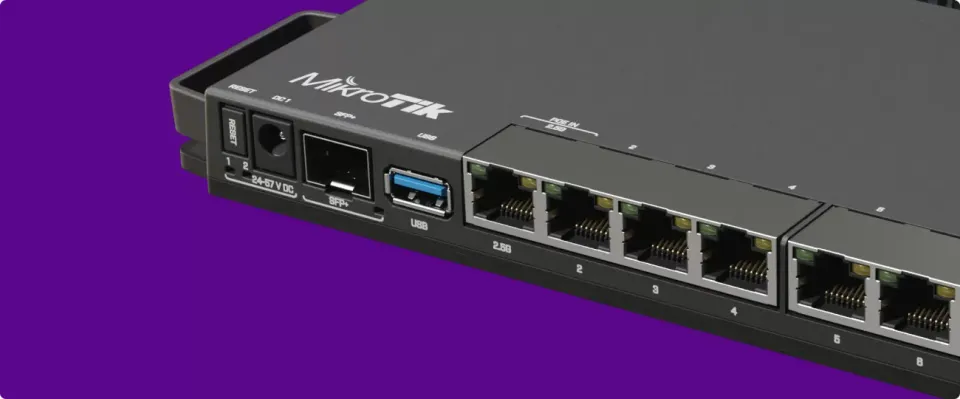
On October 7, at 12:30 UTC, someone on the internet took full control of my MikroTik router. They didn't have a password or a key, and they didn't need one.
Nine seconds later they had built themselves a VPN backdoor. One second after their first change, an alert landed in my Slack.
This is the story of that intrusion, with the real logs. It covers what the exploit looks like from the router's side, how I spotted it, what I did in the following hour, and what you should check on your own RouterOS box today. The short version: if your RouterOS is older than 7.24.3 and SSH is reachable from the internet, stop reading and upgrade first.
The flaw: your SSH keys don't matter
The attack chain is called MikroTrick. It was disclosed by CERT Polska in early September 2026 as a set of six RouterOS vulnerabilities, and MikroTik published its advisory on September 3. CISA added it to the Known Exploited Vulnerabilities catalog on September 10. Public exploit code has been around since early September.
Two of the bugs do the damage together:
- CVE-2026-67279 lets anyone who can reach the SSH port get a session to the login code before authenticating. MikroTik's advisory calls this the one "seen being exploited in the wild".
- CVE-2026-86060 (CVSS 9.2) is an argument injection in the login helper. A username that starts with a dash is passed to RouterOS's internal login program as a command-line option instead of a name. The session then ends up with every permission on the box.
Chained, they give a remote attacker full admin rights without a password, without a private key, and without completing authentication.
That last part is what I want every homelabber to absorb. I had done the hardening everybody recommends: no password logins, keys only, strong crypto, minimal rights for the accounts that face the internet. None of it mattered. The exploit runs before any of those checks. The only two things that count are the RouterOS version and whether port 22 is reachable.
The fixes landed in 7.24.2 (stable), 7.23.4 (long-term) and 6.49.21. One fix in the same advisory turned out to be incomplete, so the versions that close all six issues are 7.24.3 / 7.23.6 / 6.49.21 or later. My router was on 7.21.3. The patch had been out for a month.
What it looks like in the logs
This is the router's syslog, as received on a separate machine. I've trimmed my own unrelated sessions and replaced the router's address with router. The attacker's IP is left in on purpose: it's an indicator of compromise and you may want to look for it.
First, for contrast, ordinary background noise. A bot tries usernames, gets rejected, nothing happens:
12:30:49 router system,error,critical login failure for user yatzari from 2.57.121.112 via ssh
12:30:49 router system,error,critical login failure for user yatzari from 2.57.121.112 via ssh
Now the exploit. Watch the username:
12:29:58 router system,error,critical login failure for user -2 from 160.119.76.10 via ssh
12:30:09 router system,info log rule added by ssh:-2@160.119.76.10 (/system logging add action=disk disabled=yes topics=account)
12:30:10 router system,info pool P00LTP added by ssh:-2@160.119.76.10 (/ip pool add name=P00LTP ranges=10.10.10.2-10.10.10.254)
12:30:12 router system,info ppp profile <ZPPTP> added by ssh:-2@160.119.76.10 (/ppp profile add dns-server=8.8.8.8,8.8.4.4 local-address=10.10.10.1 name=ZPPTP remote-address=P00LTP)
12:30:13 router system,info ppp secret <wtn> added by ssh:-2@160.119.76.10 (/ppp secret add name=wtn profile=ZPPTP service=pptp)
12:30:14 router system,info PPTP Server settings changed by ssh:-2@160.119.76.10 (/interface pptp-server server set authentication=pap,chap,mschap1,mschap2 enabled=yes)
12:30:15 router system,info nat rule added by ssh:-2@160.119.76.10 (/ip firewall nat add action=masquerade chain=srcnat comment=Internet src-address=10.10.10.0/24)
12:30:18 router system,info cloud settings changed by ssh:-2@160.119.76.10 (/ip cloud set ddns-enabled=yes)
Three things stand out.
The login "fails", then commands run anyway. RouterOS logs a login failure for the user -2, and eleven seconds later the same -2 is making configuration changes. There is no account called -2 on my router. That pair, a failed login for a name starting with a dash followed by actions by ssh:-N@<ip>, is the signature to search for.
It's scripted. Seven changes in under nine seconds, no hesitation, no reconnaissance. It's a playbook.
The playbook is a relay, not a smash. The attacker didn't wipe anything, add an admin account or touch the firewall. They:
- added a disabled logging rule. It's a decoy, or a probe to see whether anyone watches logging changes;
- created an address pool, a PPP profile and a PPTP secret;
- switched on the PPTP server with every legacy auth method;
- added a masquerade rule so clients of that VPN can reach the internet through my line;
- enabled DDNS, so the router publishes its current public IP to a stable name.
My reading of it: the router was being turned into an exit node, a residential IP that someone else could tunnel through. No VPN session was ever opened before I shut it down.
How I saw it: logs that leave the box
I didn't catch this by luck. The setup is simple and I'd recommend it to anyone running RouterOS at home.
1. Ship syslog off the router. RouterOS sends its log to a small Linux box with rsyslog. An attacker with full rights can turn off logging on the router, and that's exactly what the decoy rule hints at. They can't reach back in time and delete what already left. Everything above was on another machine before the attacker had finished typing.
/system logging action add name=remote target=remote remote=<your-log-host> remote-port=514
/system logging add topics=info action=remote
/system logging add topics=error action=remote
/system logging add topics=critical action=remote
2. Follow the log and alert on changes. A small Python service reads the file like tail -F and matches RouterOS's change lines: <object> added|removed|changed by <who>. On users, SSH keys, logging rules, schedulers, scripts, services and firewall rules, it posts to a Slack channel. The alert I got:
12:30:10 ⚠️ RB5009: sensitive change (log rule added by ssh:-2@160.119.76.10)
(Translated: my alerts are in French.)
That's one second after the attacker's first command. The decoy rule they added to probe whether anyone was watching is the very thing that triggered the alert.
3. Diff the config on a schedule. Every 15 minutes, a read-only account pulls /export terse plus the things /export does not show (users, SSH keys, files, installed packages, device-mode) and diffs them against the last snapshot. The live follower catches the first move; the diff catches anything the follower's patterns miss. That second list matters: /export doesn't list users, so a config backup alone will never show you a rogue admin account.
None of this is sophisticated. It's a syslog target, a small script and a cron job. It turned "compromised for who knows how long" into "compromised for one second before someone noticed".
The first hour
Times are UTC.
- 12:30:10: alert in Slack. The object names matched nothing I had ever created.
- 12:36: attacker IP added to an address list dropped in the
rawtable (before connection tracking), PPTP server disabled. - 12:44: SSH closed from the WAN with a
rawdrop on tcp/22, IPv4 and IPv6. That's the only real mitigation until the patch is on, because the exploit doesn't care about credentials. - 12:47: backup and export saved on the router.
- 12:48: RouterOS 7.21.3 → 7.24.5, verified after reboot. Then the RouterBOARD firmware to match, and the remaining backdoor objects removed.
- ~13:05: the router's WireGuard private key rotated. More on that below.
Then I went through every MikroTik advisory to confirm 7.24.5 closed all of them, and wrote the watcher that keeps that from happening again.
What you should do on your own MikroTik
Upgrade RouterOS, and check the right version number. This one got me. WebFig's System → RouterBOARD shows the firmware version, which had quietly been kept in step with RouterOS and looked current. The RouterOS version that matters is under System → Packages. From the CLI:
/system package update check-for-updates
/system package update install
# after the reboot, bring the bootloader in line and reboot once more
/system routerboard upgrade
If you can't upgrade right now, close SSH from the internet. Use a VPN to get in. Keys-only does not protect you here.
Look for the signature.
/log print where message~"login failure for user -"
/log print where message~"by ssh:-"
The router's own log memory is short and doesn't survive a reboot, so search your remote syslog too, if you have one.
Look for the persistence objects. These are the ones I saw. CERT Polska also reported attackers creating a privileged account named ops.
/user print
/user ssh-keys print
/ppp secret print
/interface pptp-server server print
/ip pool print
/ip firewall nat print where chain=srcnat
/ip cloud print
/system scheduler print
/system script print
/system logging print
Anything in there you didn't put there is a finding: an unknown user, a PPTP or L2TP server you never enabled, a masquerade for a subnet you don't have, or a scheduler with a one-second interval.
Assume the config was read. Full rights means the attacker could read everything, and reads aren't logged. On my router, the secret worth worrying about was the WireGuard private key of the router itself. RouterOS doesn't store your peers' private keys, so rotating the router's key only means updating one PublicKey line on each client. Do the same for any PPP, IPsec or API secret stored on the box.
Watch for advisories yourself. MikroTik has no security mailing list; the newsletter is marketing. I now have a job that checks the latest stable version and the advisory page every six hours and pings me when RouterOS is behind or a new advisory appears. Upgrades stay manual: a router reboot takes the whole house offline, and I want to be there when it happens.
The lesson
I had done the "right" things for SSH and they were irrelevant. The fix had been public for a month, and the exploit for nearly as long. What saved the day wasn't hardening. It was being able to see what happened, from a place the attacker couldn't reach, fast enough to act.
So here is my order of priorities now for anything exposed at home:
- Patch the edge device fast. Routers are where unauthenticated exploits get used first, and they're the box we update least.
- Ship its logs somewhere else, and have something read them for you.
- Diff its config against a known-good copy, including the parts
/exporthides. - Only then, harden the login.
The hardening is still worth doing. It just isn't what will tell you you've been owned.
Sources
- MikroTik, September 2026 vulnerability advisory (fixed versions, CVE-2026-67279, CVE-2026-86060, the incomplete CVE-2026-67278 fix)
- Rescana: MikroTrick added to CISA KEV
- Triskele Labs: Critical MikroTik RouterOS vulnerabilities under active exploitation
- CVE-2026-86060 on cve.tools