When your SFP module keeps rebooting: the problem is often the power supply
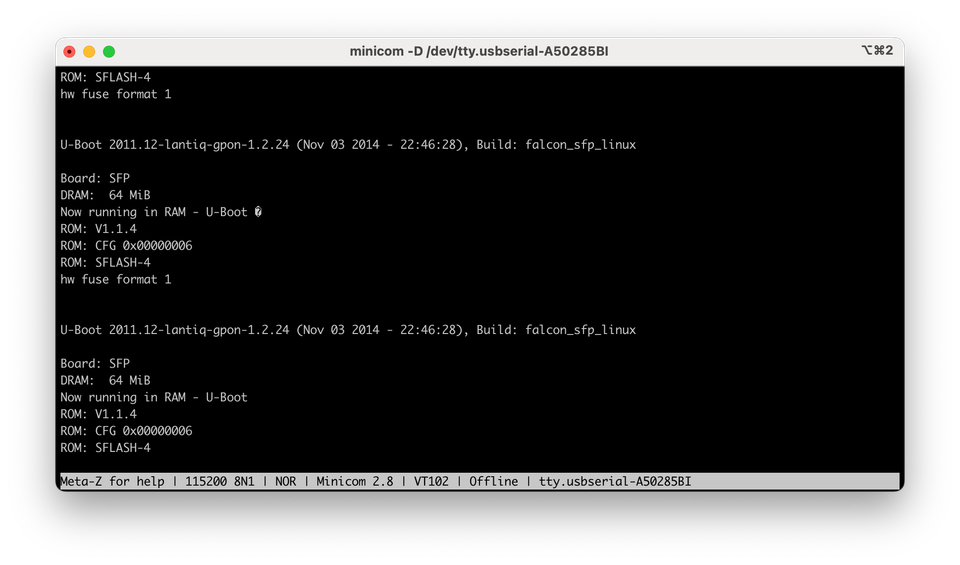
You plug your SFP/ONU module into your USB-to-TTL adapter, open your serial terminal, and suddenly you see this repeating over and over again:
U-Boot 2011.12-lantiq-gpon-1.2.24 (Nov 03 2014 - 22:46:28), Build: falcon_sfp_linux
Board: SFP
DRAM: 64 MiB
Now running in RAM - U-Boot a
ROM: V1.1.4 ROM: CFG 0x00000006
ROM: SFLASH-4
hw fuse format 1

[...]
Before you even get the chance to hit Ctrl+C, it restarts.
No prompt, no shell, just an endless loop.
Good news: your module isn’t dead — it’s just starving.
The real cause: not enough power
Most USB-to-TTL adapters include a 3.3 V pin that you can use to power your board or module.
But here’s the catch: that pin is usually very weak — it can only supply around 150–200 mA at best.
A GPON SFP module like the Huawei MA5671A typically draws:
- 300–500mA continuously when running (but does not matter here)
- up to 300mA in short bursts during initialization (before console is available)
- around 100mA once boot is aborted using console (not shown here)
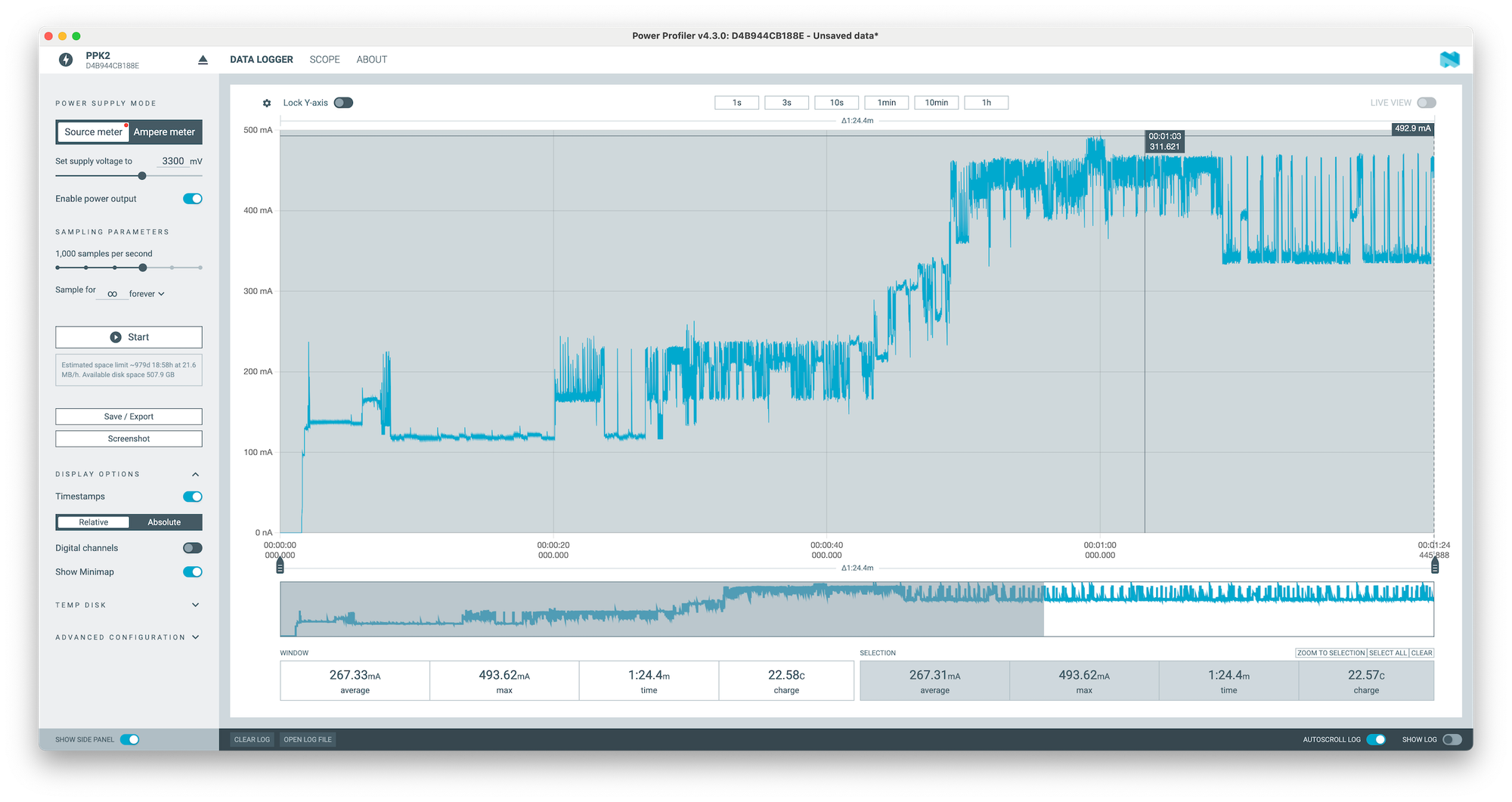
When your adapter can’t deliver that much current:
- the voltage drops,
- the module “brown-outs” (loses power momentarily),
- U-Boot restarts,
- and the loop continues forever.
That’s why you can’t interrupt U-Boot — it never stays on long enough to accept input.
The Fix: give it a proper power source
The solution is simple: power the module from a stable 3.3 V supply that can provide at least 500 mA (1 A recommended to be safe).
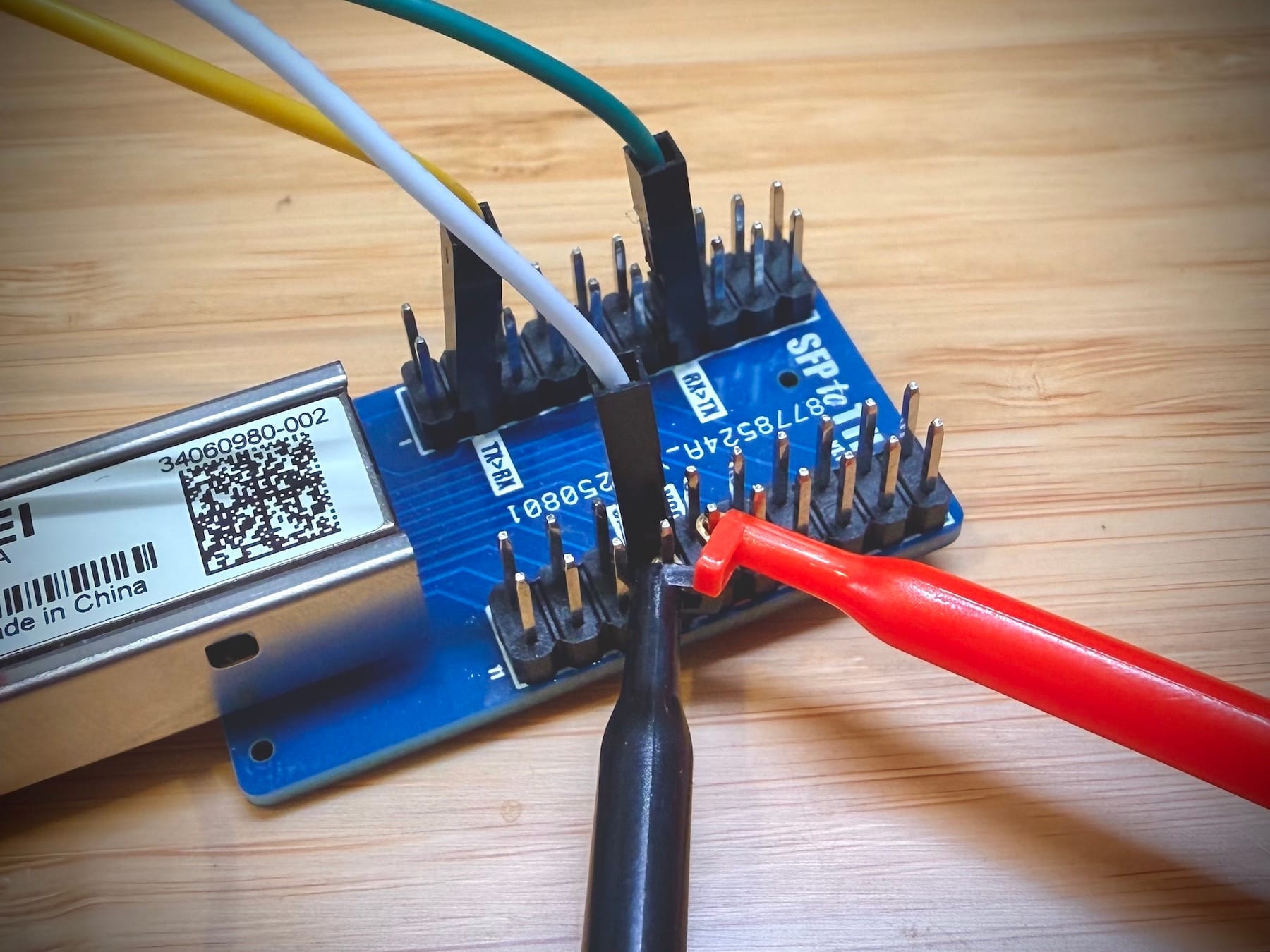
Wiring Diagram
USB-TTL TX     →  SFP-TTL RX
USB-TTL RX     →  SFP-TTL TX
USB-TTL GND    →  SFP-TTL GND
External GND   →  SFP-TTL GND (yep, same as above)
External 3.3V  →  SFP-TTL VCC (in place of USB-TTL 3.3V)
The important part: all grounds must be connected together.
Your external power supply and USB-to-serial adapter need a common ground for UART communication to work correctly.
Once Properly Powered
Once you feed the module with a reliable 3.3 V source, it boots normally.
No more reboots, no more frustration — you can finally interrupt U-Boot, access the console, and flash your firmware.
Even a small SFP module can be picky about power.
Before blaming the firmware, always double-check your power supply — it’s usually the culprit.
